1
Navigate to Reports Section
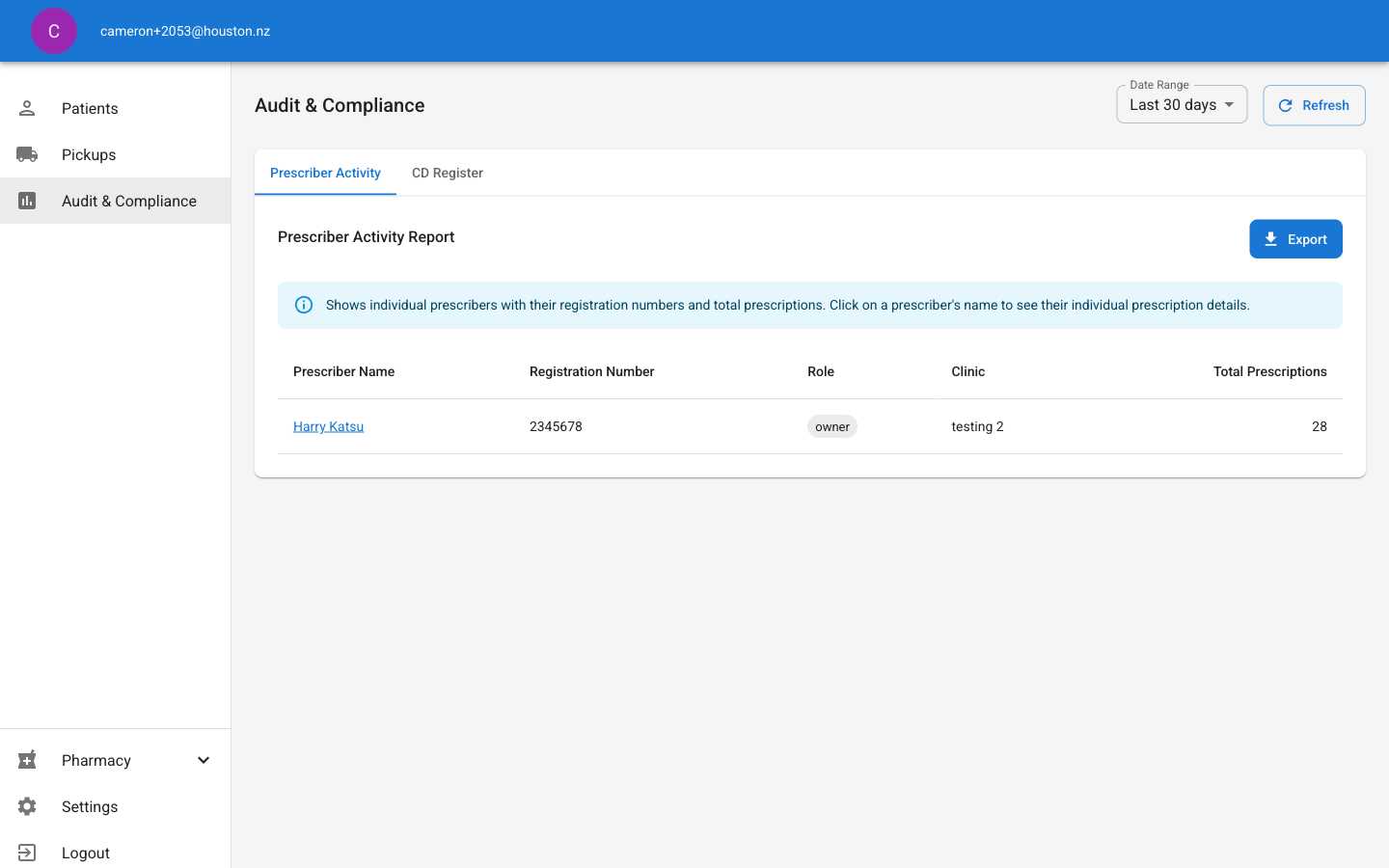
Click Audit & Compliance in the main navigation sidebar to access the reporting dashboard.The reports interface includes:
- Date range filtering (Last 30 days, custom ranges)
- Multiple report types via tab navigation
- Export functionality for compliance documentation
- Automatic data refresh capabilities
2
View Prescriber Activity Report
The Prescriber Activity tab shows comprehensive prescriber statistics including:Report Columns:
- Prescriber Name: Full name with clickable details
- Registration Number: Professional registration identifier
- Role: User role within the clinic (owner, prescriber, etc.)
- Clinic: Associated clinic location
- Total Prescriptions: Number of prescriptions issued in date range
- Real-time prescription counting
- Professional registration tracking
- Role-based activity monitoring
- Export functionality for audit purposes
3
Access CD Register Report
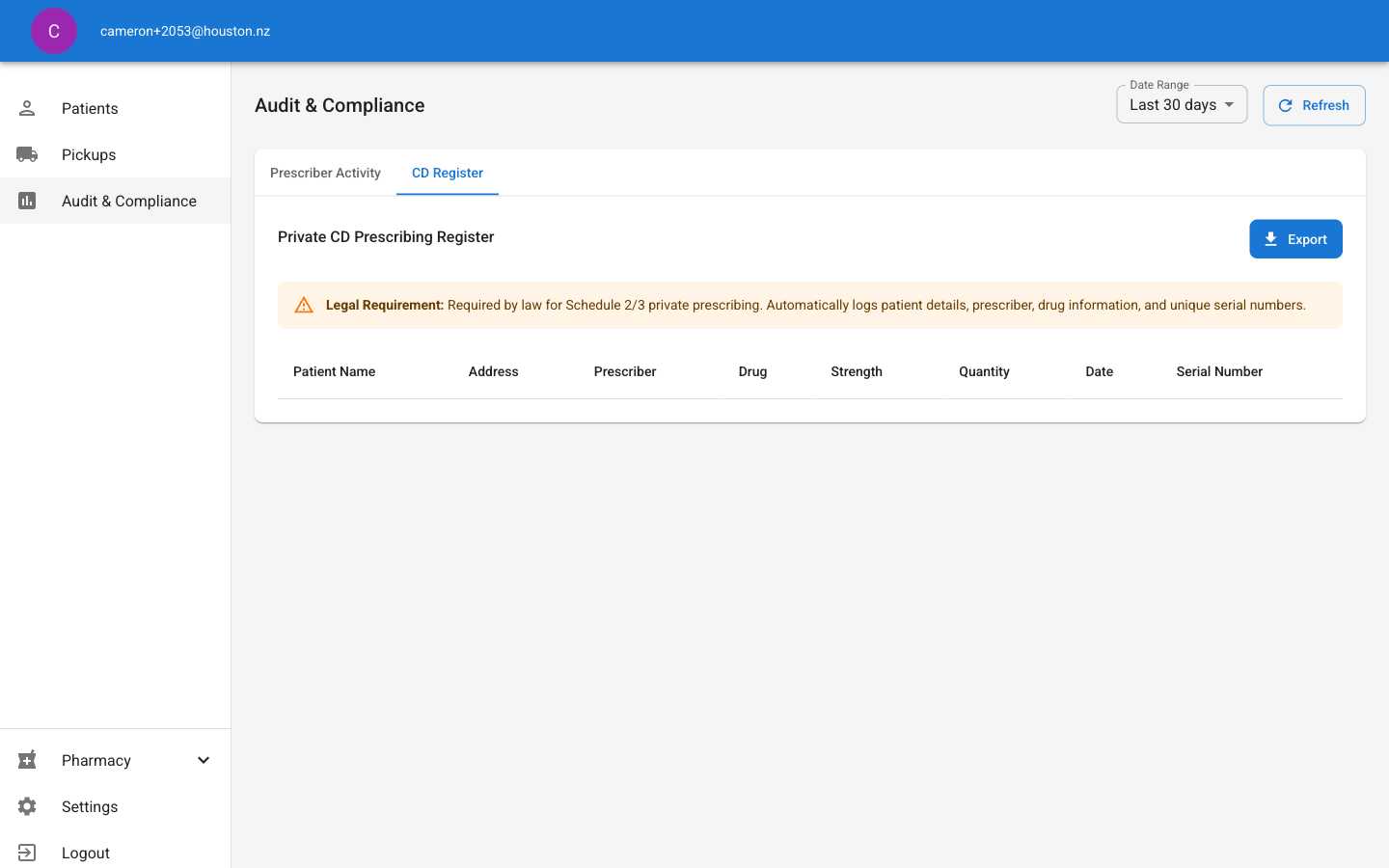
- Patient Name: Full patient identification
- Address: Patient residential address
- Prescriber: Issuing healthcare professional
- Drug: Specific controlled substance name
- Strength: Medication dosage information
- Quantity: Amount prescribed
- Date: Prescription issue date
- Serial Number: Unique tracking identifier
4
Export Reports for Compliance
Use the Export button on any report to generate compliance documentation:Export Process:
- Select desired report (Prescriber Activity or CD Register)
- Adjust date range if needed
- Click Export button
- Wait for processing confirmation
- Download generated file
- Professional compliance reports
- Audit trail documentation
- Regulatory submission formats
- Export regularly for backup compliance records
- Maintain copies for regulatory inspections
- Use appropriate date ranges for specific audit periods
Report Management Tips
- Regular Monitoring: Check reports weekly for prescriber activity patterns and compliance
- Date Filtering: Use custom date ranges for specific audit periods or investigations
- Export Timing: Generate exports before regulatory inspections or audit deadlines
- Data Accuracy: Verify registration numbers and clinic associations for accurate reporting
- Compliance Records: Maintain exported reports as permanent compliance documentation