1
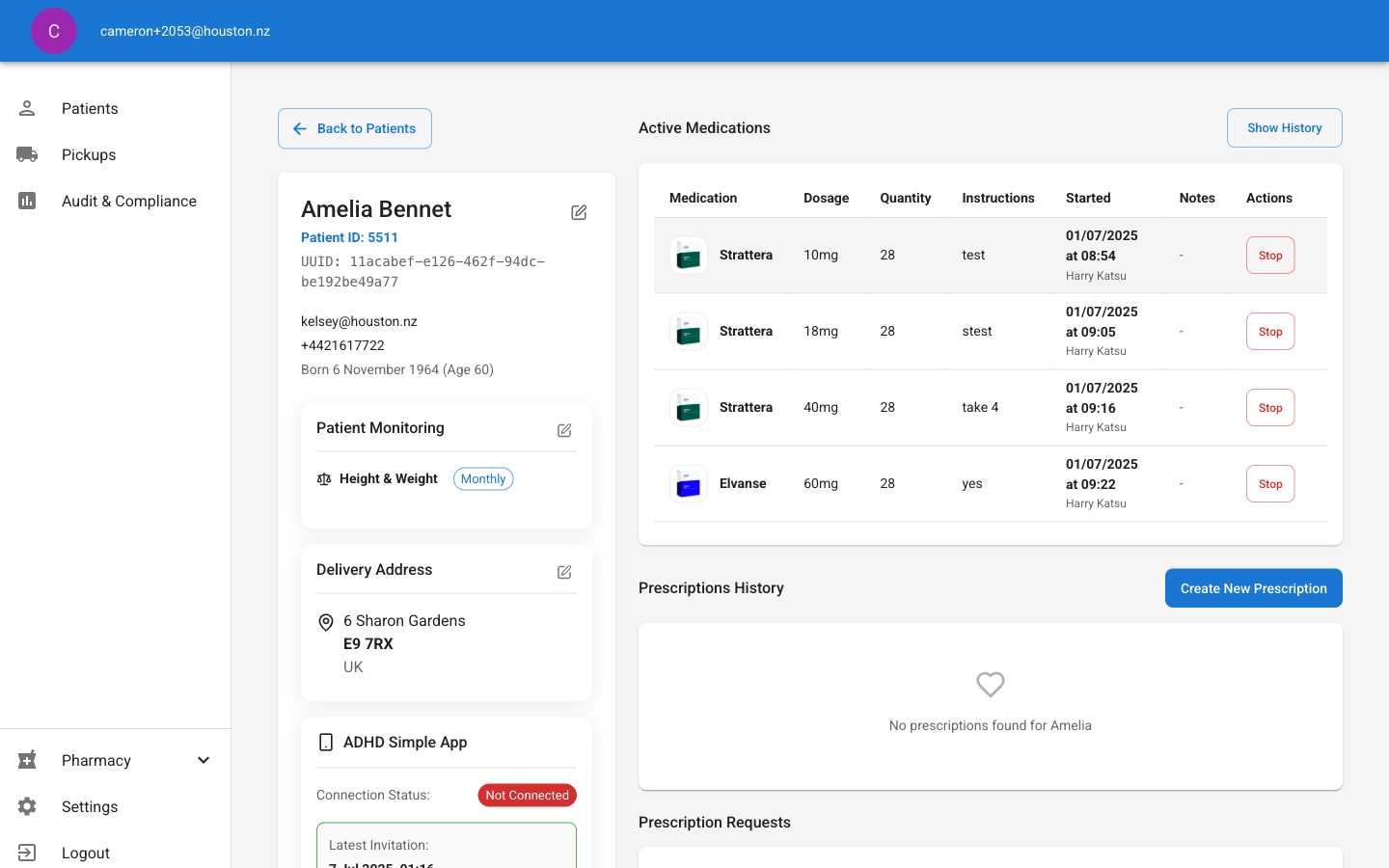
Locate Edit Button
On the patient detail page, find the edit button (pencil icon) located next to the patient’s name and ID information in the top section.The edit button provides access to:
- Email address updates
- Phone number corrections
- Date of birth modifications
2
Open Edit Dialog
Click the edit button to open the “Edit Contact Information & Date of Birth” dialog.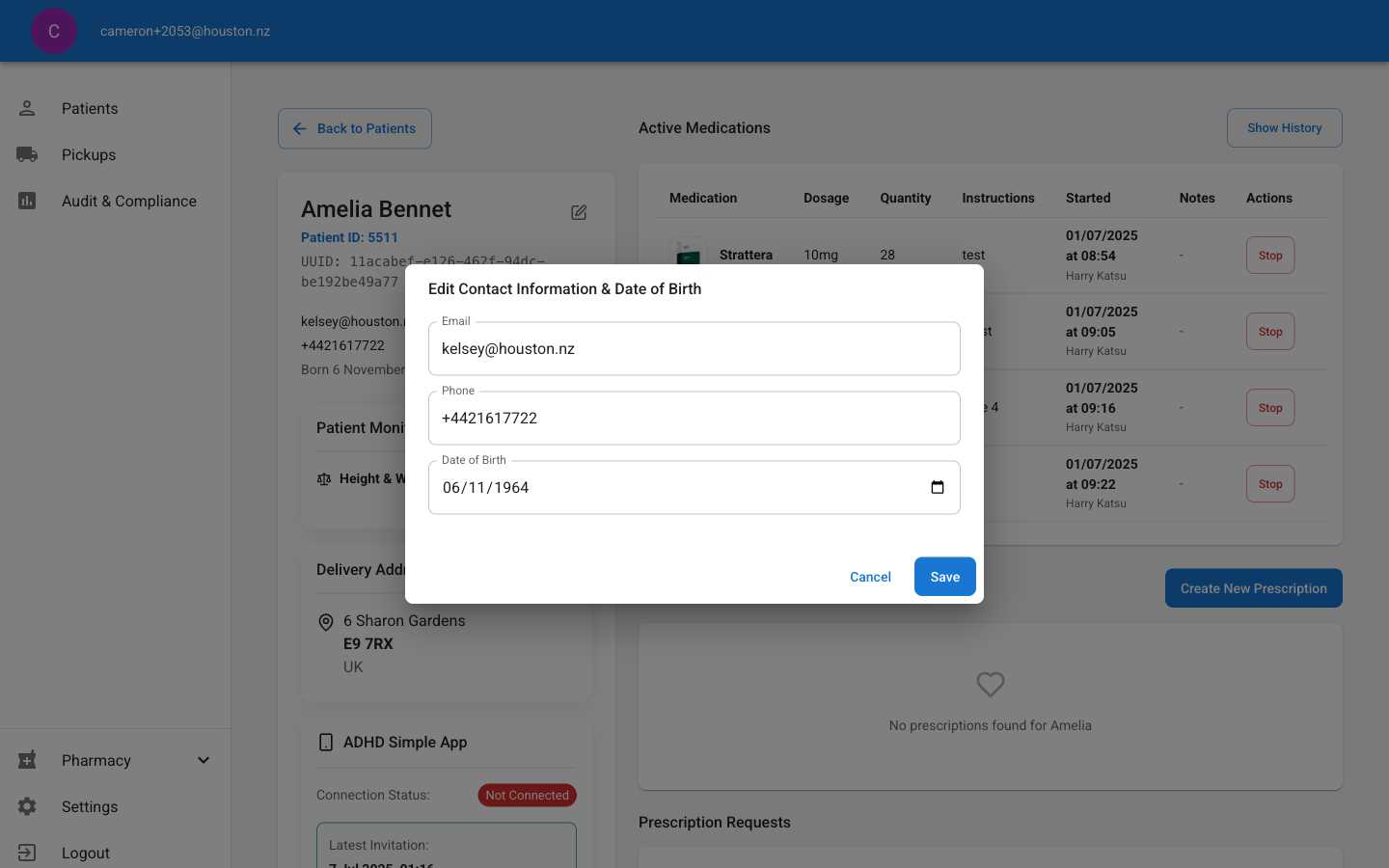
- Email: Patient’s primary email address
- Phone: Contact phone number with international format
- Date of Birth: Birth date in YYYY-MM-DD format
3
Make Required Changes
Update the necessary patient information in the provided fields. Make corrections carefully as these changes affect patient communications and medical records.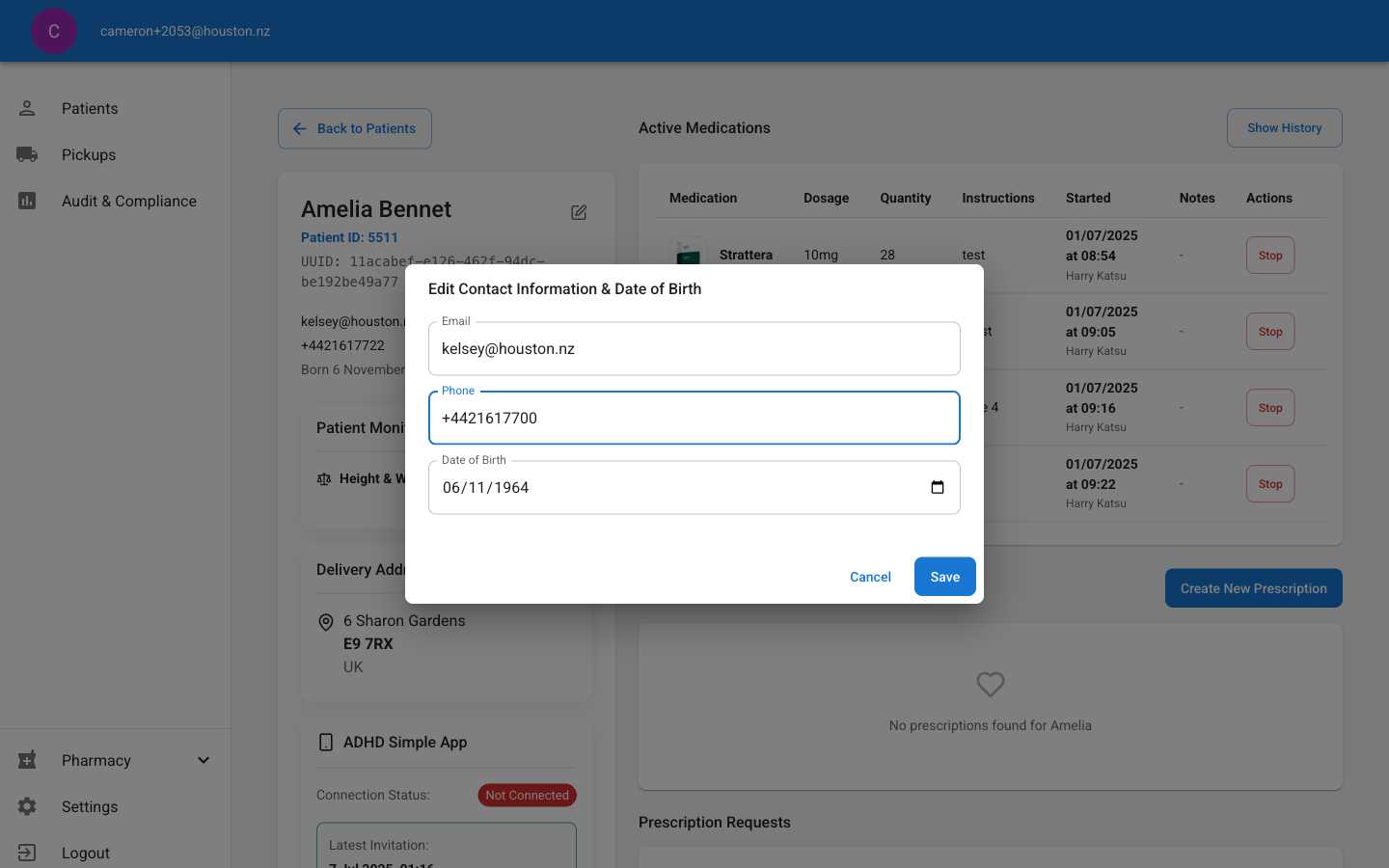
- Verify phone numbers include correct country/area codes
- Ensure email addresses are properly formatted and actively monitored
- Double-check birth dates for accuracy to prevent age-related medication errors
4
Save Changes
Click the Save button to apply changes to the patient record. The dialog will close and the patient detail page will reflect the updated information.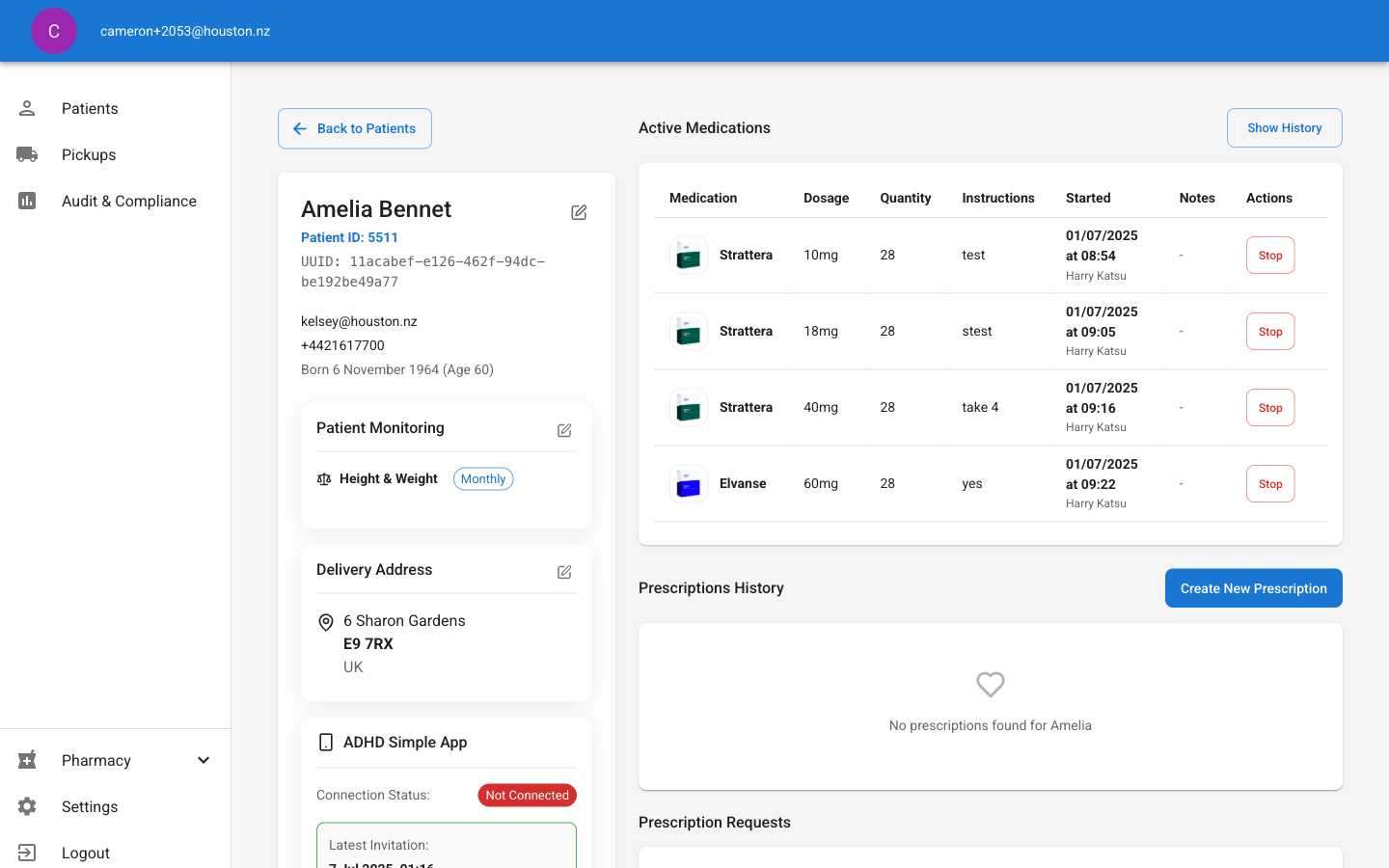
- Confirm updated information displays correctly in the patient summary
- Check that contact changes are reflected in communication preferences
- Review any dependent systems that may reference this patient data