1
Navigate to Pickups Page
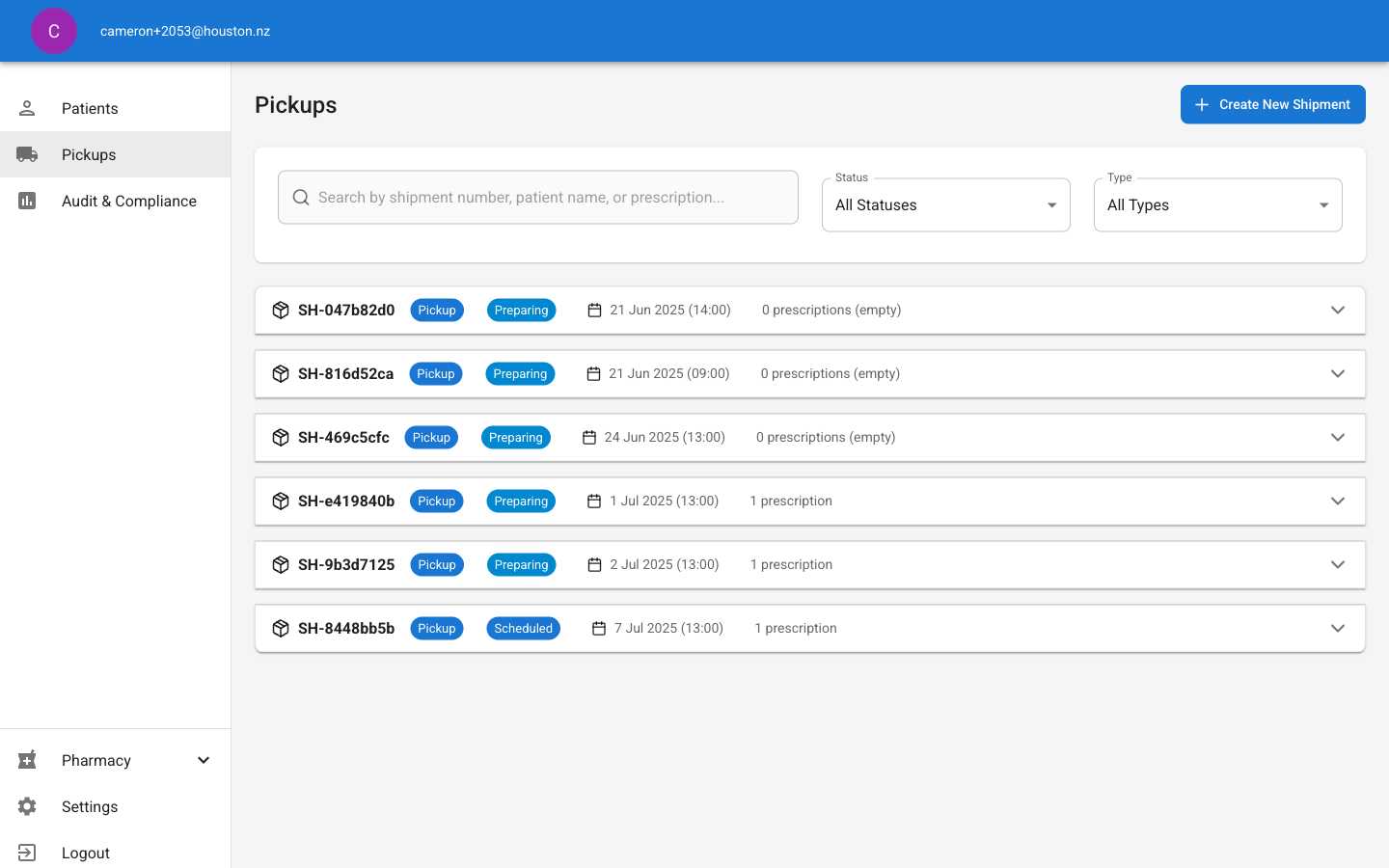
Click Pickups in the main navigation sidebar to access the scheduling dashboard.The page displays all pickup appointments with:
- Shipment numbers (SH-xxx format)
- Pickup type (Pickup/Delivery)
- Status (Scheduled, Preparing, etc.)
- Date and time slots
- Prescription count
2
Filter and Search Schedules
Use the filtering tools to find specific appointments:
- Search box: Find by shipment number, patient name, or prescription details
- Status filter: Show appointments by status (All Statuses, Scheduled, Preparing, etc.)
- Type filter: Filter by pickup type (All Types, Pickup, Delivery)
3
Create New Pickup Schedule
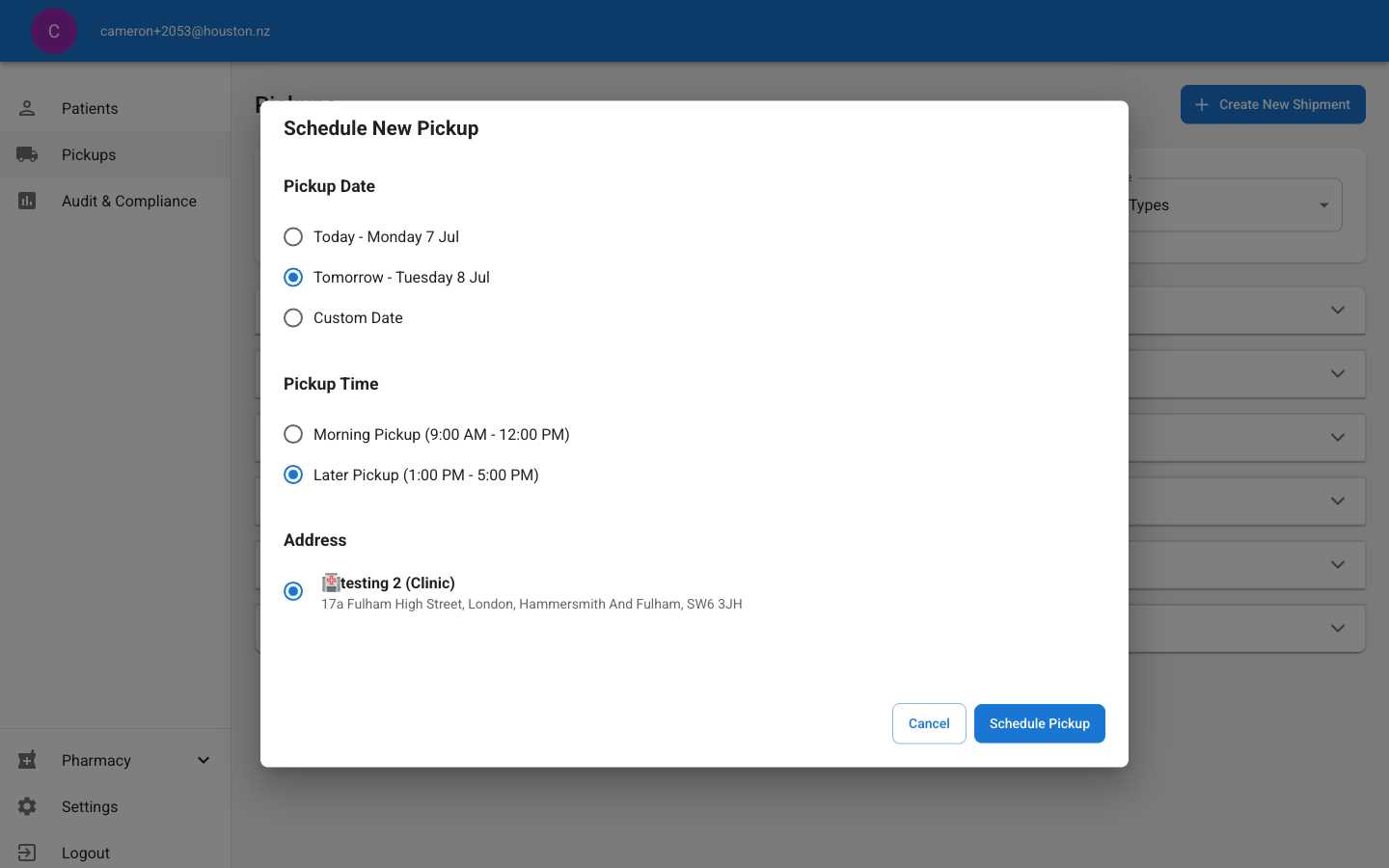
- Today: Same-day pickup (if available)
- Tomorrow: Next business day pickup
- Custom Date: Select specific future date
- Morning Pickup: 9:00 AM - 12:00 PM
- Later Pickup: 1:00 PM - 5:00 PM
- Choose from registered clinic addresses
- Displays clinic name and full address details
4
Confirm Schedule Creation
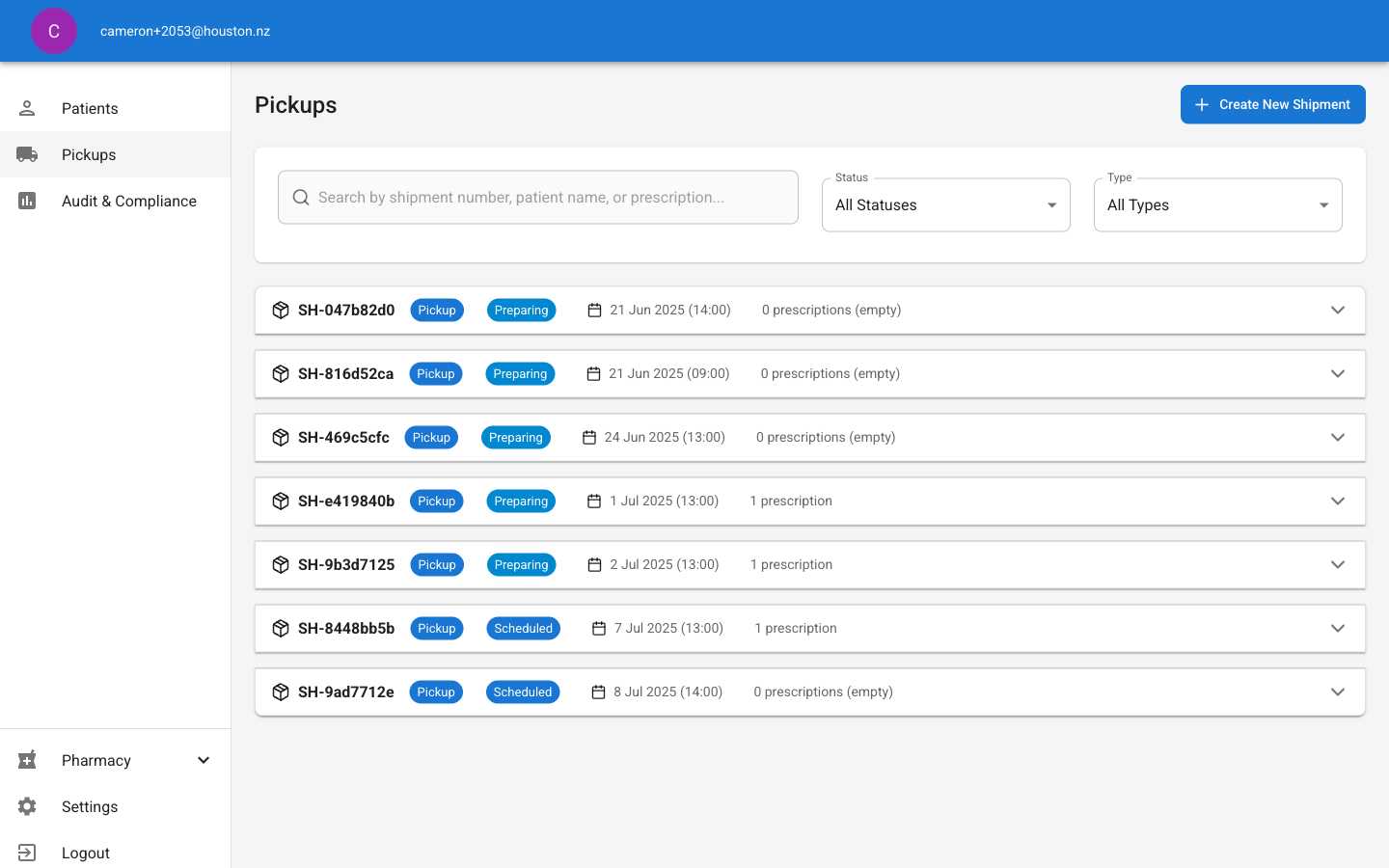
- Generate a unique shipment number (SH-xxx format)
- Set status to “Scheduled”
- Display in the main pickup list
- Show selected date and time slot
- Scheduled: Appointment confirmed, awaiting prescriptions
- Preparing: Prescriptions being prepared for pickup
- Ready: Available for collection
Schedule Management Tips
- Plan Ahead: Create pickup slots before prescriptions are ready to ensure timely collection
- Monitor Status: Check status changes to track pickup preparation progress
- Coordinate Times: Align pickup schedules with clinic operating hours and courier availability
- Address Accuracy: Verify clinic addresses are current and accessible for pickup services